配置Anaconda
1.添加环境变量
系统环境变量: C:\ProgramData\anaconda3 C:\ProgramData\anaconda3\Scripts C:\ProgramData\anaconda3\Library\bin
2.显示(base)
运行Anaconda Prompt
conda config --set auto_activate_base true
conda config --set changeps1 true
管理员 powerShell
conda init

Set-ExecutionPolicy -ExecutionPolicy RemoteSigned
按Y确定
验证和常用命令
虚拟环境
python -m venv myenvmyenv\Scripts\activate卸载
pip uninstall torch torchvision torchaudio显示位置
pip show transformers清除缓存
pip cache purge退出虚拟环境
deactivate安装torch2.7.1+cu118
pip uninstall numpy torch torchvision torchaudio -y
pip install numpy==1.26.4  # 必须锁定 NumPy 1.x

pip install torch==2.7.1 torchvision==0.22.1 torchaudio==2.7.1 --index-url https://download.pytorch.org/whl/cu118

import torch
print(torch.__version__)  # 打印 PyTorch 版本
print(torch.cuda.is_available())  # 检查 CUDA 是否可用
print(torch.version.cuda)
配置Git使用代理连接GitHub
需要检查一下VPN的端口,127.0.0.1 是本地代理地址,7890 是代理端口。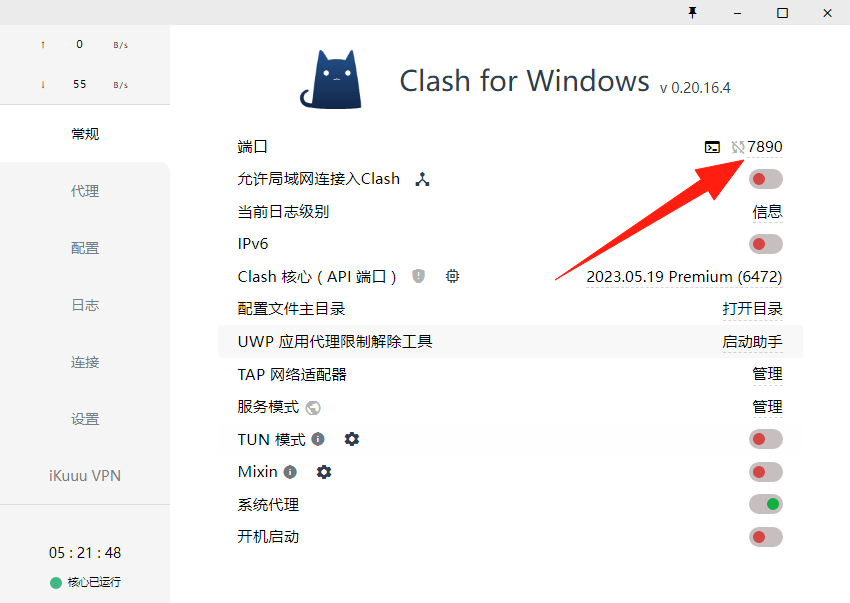
配置HTTP,CMD
git config --global http.proxy http://127.0.0.1:7890配置HTTPS
git config --global https.proxy http://127.0.0.1:7890如果不用了,取消
git config --global --unset http.proxy
git config --global --unset https.proxy